
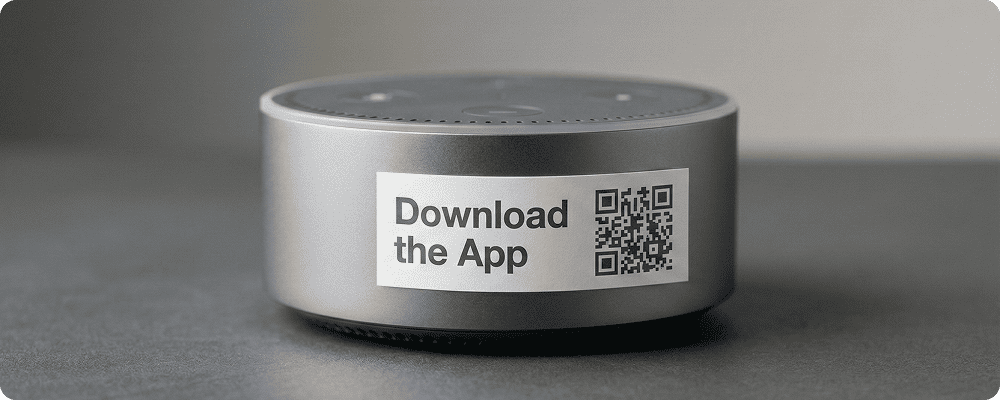
Mobile app usage is growing rapidly across India and Asia Pacific. Businesses, startups, educational platforms, and service providers are launching mobile apps to connect directly with their customers.
However, many people face difficulty in searching the correct app in the app store. Similar names, spelling mistakes, or confusion often lead to missed downloads.
A QR code for app downloads makes the process simple. Customers can scan the code and directly reach your app download page. This saves time and increases installation rates. It is especially useful in malls, retail stores, events, print ads, packaging, and rural campaigns where quick action is important.
By adding a QR code, businesses can promote their app easily without depending only on search.
Benefits of QR Code for App Downloads
Direct Access to App Store Page
Users are redirected instantly without manual searching.
Increase Installation Rate
Remove confusion and reduce drop-offs.
Easy Promotion Across Media
Print the QR code on posters, banners, packaging, or newspaper ads.
Suitable for Rural and Semi-Urban Areas
Simple scanning works better than typing app names.
Track Campaign Performance
Monitor how many people scanned and downloaded your app.
Support Multiple Platforms
Redirect users to Android or iOS app pages as required.
Professional Brand Promotion
Makes your marketing material look organised and modern.
Best Examples
Retail Stores
Display QR codes near billing counters to encourage customers to download loyalty apps.
Educational Platforms
Coaching centres can promote their learning apps through QR codes on brochures.
Event Management Companies
Encourage attendees to download event apps for schedules and updates.
Food and Delivery Services
Restaurants can promote their ordering apps through table-top QR codes.
Financial and Service Apps
Banks and service providers can print QR codes in branch offices for easy app access.
Local Businesses
Small businesses can promote their newly launched apps through shop displays.
QR Code Generation for App Downloads with Digital QR
- Open your browser and search digitalqr.co.
- Select the ‘Apps’ QR type option based on your app store link.
- Enter your Google Play or App Store link correctly.
- Customize the QR code to match your brand colors and promotional material.
- Download the high-resolution QR code and place it on posters, packaging, or marketing materials.