
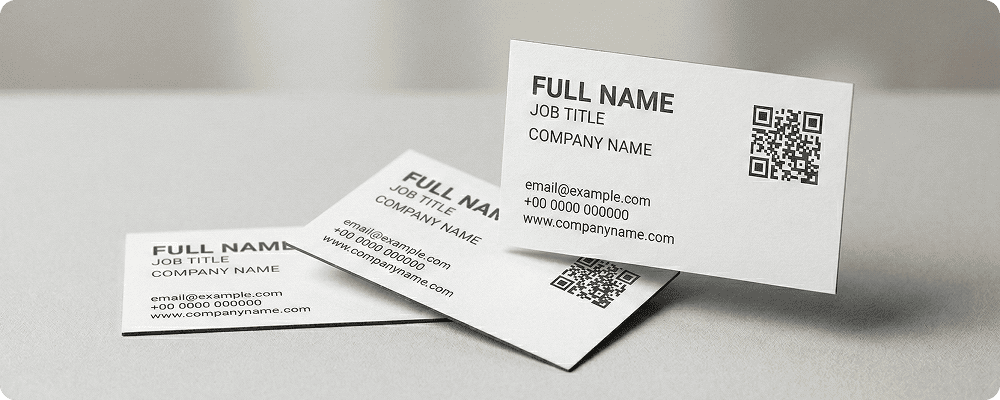
Business cards are still widely used across India and Asia Pacific for professional networking. However, traditional cards have limited space and can only display basic details such as name, phone number, and email.
A QR code on a business card makes it more powerful and modern. With one simple scan, your contact details can be saved directly to the user’s phone. You can also share your company website, portfolio, social media profiles, or even a digital profile page.
For entrepreneurs, freelancers, sales teams, and corporate professionals, QR-enabled business cards create a smart first impression and reduce the chances of losing contact details.
Benefits of QR Code for Business Cards
Instant Contact Saving
Users can save your details directly into their phone without typing manually.
Share Complete Information
Go beyond basic details by sharing website links, portfolio, and service pages.
Professional and Modern Image
QR codes give your business card a digital and updated look.
Reduce Manual Errors
Avoid mistakes in typing phone numbers or email addresses.
Easy to Update Information
With dynamic QR codes, you can update your contact details without reprinting the card.
Support Social Media Integration
Allow clients to connect with you on LinkedIn, Facebook, or other platforms instantly.
Ideal for Events and Networking
Perfect for exhibitions, business meetings, seminars, and trade fairs.
Best Examples
Corporate Professionals
Managers and executives can use QR codes to share their company profile and direct contact details.
Freelancers and Designers
Creative professionals can link their portfolio website through a QR code.
Real Estate Agents
Agents can share property listings and contact details instantly.
Sales Representatives
Sales teams can provide product catalogs along with their contact details.
Startup Founders
Entrepreneurs can link their company website and social media channels.
Medical and Legal Professionals
Doctors and lawyers can share appointment booking links along with contact details.
QR Code Generation for Business Cards with Digital QR
- Open your browser and search digitalqr.co.
- Select the ‘vCard’ QR type option based on your requirement.
- Enter your complete contact details.
- Customize the QR code to match your business card design and brand colors.
- Download the high-resolution QR code and print it on your business card.