
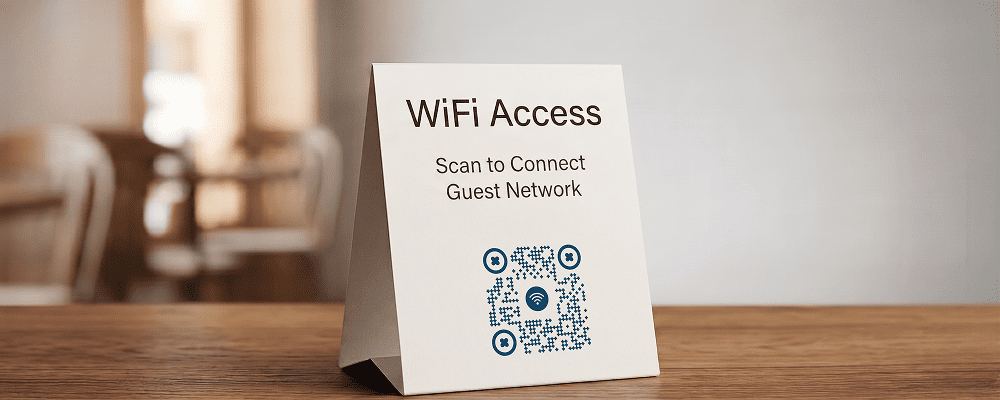
Sharing Wi-Fi passwords in public places can be inconvenient. Customers often need to ask for the password, staff have to repeat it multiple times, and sometimes the password is entered incorrectly.
A QR code for Wi-Fi sharing makes the process simple and fast. Customers can scan the QR code and connect to the WiFi network instantly without typing the password.
This is useful for cafes, restaurants, hotels, offices, clinics, salons, and waiting areas. It improves customer experience and saves time for both staff and visitors.
Benefits of QR Code for Wi-Fi Sharing
Instant Connection
Users can connect to Wi-Fi within seconds by scanning.
No Password Typing
Avoid mistakes in entering long or complex passwords.
Better Customer Experience
Provide a smooth and professional service.
Save Staff Time
Staff do not need to repeat the password frequently.
Clean and Organized Display
Display a simple QR code instead of writing the password publicly.
Suitable for Small and Large Businesses
Works well for local shops as well as large commercial spaces.
Secure Sharing
Control who connects through your displayed QR code.
Best Examples
Cafes and Restaurants
Place the QR code on tables or near the billing counter for easy access.
Hotels and Guest Houses
Display the QR code inside rooms or at reception.
Corporate Offices
Provide visitors with quick Wi-Fi access during meetings.
Clinics and Hospitals
Allow patients to connect while waiting.
Salons and Service Centers
Improve waiting time experience with easy internet access.
Co-Working Spaces
Provide members and guests with seamless connectivity.
QR Code Generation for Advertising with Digital QR
- Open your browser and search digitalqr.co.
- Select the ‘Wi-Fi’ QR type option.
- Enter your Wi-Fi network name, password, and security type correctly.
- Customize the QR code design for clear visibility in your location.
- Download the high-resolution QR code and display it at your premises.