
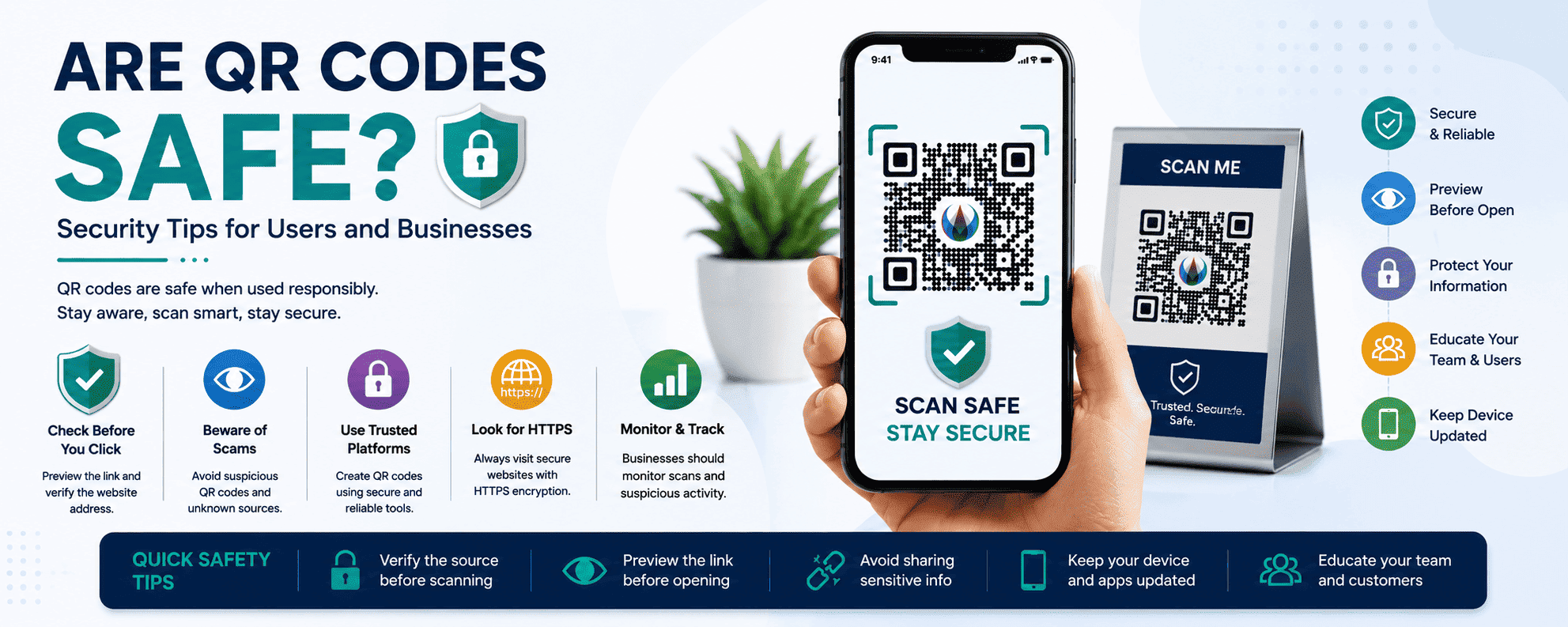
QR codes are now part of everyday life.
People use them to:
- open websites
- make payments
- access restaurant menus
- download apps
- connect to WiFi
- register for events
- follow social media accounts
Businesses also rely heavily on QR codes for marketing, customer engagement, and digital experiences.
But as QR code usage grows, many people ask an important question:
Are QR codes safe?
The short answer is:
- Yes, QR codes are generally safe.
- However, scammers and cybercriminals can misuse them for phishing, fraud, and malicious attacks.
Understanding QR code security is extremely important for:
- businesses
- marketers
- customers
- online shoppers
- restaurant owners
- event organizers
In this complete guide, you’ll learn:
- how QR code security works
- common QR code scams
- risks businesses should know
- how to scan QR codes safely
- best security practices
- how businesses can protect customers
If your business uses QR codes, this guide can help you build trust and improve customer safety.
What Are QR Codes?
QR codes (Quick Response codes) are two-dimensional barcodes that store digital information.
When users scan a QR code with their smartphone camera, the code instantly opens:
- websites
- PDFs
- payment pages
- contact details
- apps
- social media profiles
QR codes simplify access to digital content and improve user convenience.
They are widely used in:
- retail
- restaurants
- healthcare
- education
- marketing
- logistics
- banking
Why QR Codes Became So Popular
QR codes became extremely popular because they are:
- fast
- contactless
- mobile-friendly
- easy to use
- inexpensive
During the COVID-19 pandemic, businesses adopted QR codes rapidly for:
- contactless menus
- touch-free payments
- digital check-ins
Today, QR codes remain one of the most effective tools for bridging offline and online experiences.
Are QR Codes Dangerous?
QR codes themselves are not dangerous.
A QR code is simply a method of storing information.
The real risk comes from:
- malicious websites
- phishing links
- fake payment pages
- scam downloads
Because users cannot visually see the destination before scanning, scammers sometimes exploit QR technology.
This type of QR fraud is often called:
“Quishing”
Quishing means:
- QR code phishing
Cybercriminals use fake QR codes to trick users into visiting malicious websites.
Common QR Code Security Risks
Understanding the biggest risks helps users and businesses stay protected.
1. QR Code Phishing Attacks
Phishing is one of the most common QR code threats.
Scammers create fake QR codes that redirect users to fraudulent websites designed to:
- steal passwords
- collect banking details
- capture login information
- infect devices
Examples:
- fake banking websites
- fake payment pages
- fake login forms
These pages often look identical to legitimate websites.
2. Fake Payment QR Codes
Payment scams are becoming more common.
Scammers may:
- replace real payment QR codes
- print fake stickers
- redirect money to fraudulent accounts
This often happens in:
- restaurants
- parking areas
- vending machines
- donation boxes
Users should always verify payment details before sending money.
3. Malicious App Downloads
Some QR codes redirect users to dangerous apps or files.
These downloads may contain:
- malware
- spyware
- ransomware
Downloading apps outside official app stores increases risk significantly.
4. Fake WiFi QR Codes
Cybercriminals may create fake WiFi QR codes.
Users unknowingly connect to:
- unsafe networks
- fake hotspots
- monitored connections
This can expose personal information.
5. QR Code Replacement Scams
Scammers sometimes physically replace legitimate QR codes with fake ones.
For example:
- replacing restaurant table QR codes
- covering posters with fake QR stickers
- changing payment QR displays
Users may not notice the replacement.
How QR Code Scams Work
Most QR scams follow a simple process.
Step 1: Create Fake QR Code
The attacker creates a malicious QR code linked to:
- phishing sites
- scam payment pages
- malware downloads
Step 2: Distribute QR Code
Scammers place QR codes:
- on posters
- in emails
- on social media
- over legitimate QR codes
Step 3: Victim Scans Code
The user scans the QR code without verifying the destination.
Step 4: Information Is Stolen
The victim may:
- enter passwords
- make fake payments
- download malware
This can lead to financial or identity theft.
Are Dynamic QR Codes Safe?
Dynamic QR codes are generally safe when created using trusted platforms.
However, because dynamic QR codes allow redirect editing, businesses must:
- secure dashboards
- use trusted providers
- monitor redirects carefully
If attackers gain access to the dashboard, they could redirect users to malicious destinations.
How Businesses Can Keep QR Codes Safe
Businesses using QR codes should follow strong security practices.
1. Use HTTPS Websites
Always link QR codes to secure HTTPS pages.
Secure websites:
- encrypt user data
- improve trust
- reduce phishing risk
Browsers usually display a lock icon for secure pages.
2. Use Trusted QR Code Generators
Choose reliable QR platforms with:
- security protections
- encrypted dashboards
- account authentication
- analytics monitoring
Avoid suspicious or unknown QR generators.
3. Protect Dynamic QR Dashboards
Dynamic QR platforms should use:
- strong passwords
- two-factor authentication
- account monitoring
This prevents unauthorized edits.
4. Regularly Inspect Physical QR Codes
Businesses should check printed QR codes frequently.
Look for:
- stickers placed over codes
- damaged labels
- unauthorized replacements
This is especially important for:
- restaurants
- retail stores
- public displays
5. Monitor Scan Analytics
Dynamic QR analytics can help detect suspicious activity.
Unusual traffic patterns may indicate:
- fraud
- abuse
- malicious campaigns
6. Avoid Shortened Unknown URLs
Users trust recognizable domains more.
Use branded URLs whenever possible.
QR Code Security Tips for Users
Users should also practice safe scanning habits.
1. Preview URLs Before Opening
Most smartphones now display preview links before opening websites.
Check:
- spelling
- domain name
- suspicious characters
Avoid unfamiliar websites.
2. Avoid Scanning Random QR Codes
Do not scan QR codes from:
- unknown posters
- suspicious emails
- random social media posts
Especially if they promise:
- prizes
- giveaways
- urgent offers
3. Verify Payment Information
Before making payments:
- confirm merchant name
- verify account details
- double-check transaction amount
4. Use Official Apps Only
Avoid downloading apps from unknown sources.
Only install apps from:
- Apple App Store
- Google Play Store
5. Keep Devices Updated
Phone security updates help protect against:
- malware
- browser exploits
- phishing attacks
6. Use Mobile Security Software
Security apps can detect:
- dangerous websites
- malware downloads
- phishing attempts
Signs a QR Code May Be Dangerous
Users should watch for warning signs.
Suspicious Placement
Examples:
- random stickers
- poorly printed codes
- codes placed over existing QR codes
Strange URLs
Avoid domains with:
- misspellings
- random characters
- unusual endings
Aggressive Messages
Scammers often create urgency.
Examples:
- “Scan immediately”
- “Limited-time reward”
- “Claim prize now”
Unexpected Downloads
Be cautious if a QR code:
- automatically downloads files
- requests unknown permissions
Best Practices for Secure QR Code Campaigns
Businesses can improve trust and safety by following these best practices.
Use Branded QR Designs
Custom branded QR codes:
- improve trust
- increase recognition
- reduce fraud risk
Users are more likely to trust branded codes.
Add Clear Call-to-Actions
Examples:
- Scan to View Menu
- Scan to Pay Securely
- Scan to Register
Clear instructions improve transparency.
Place QR Codes in Trusted Locations
Avoid unsecured public placement where tampering is easy.
Educate Customers
Businesses should teach customers:
- how to scan safely
- what official QR codes look like
- how to verify links
Why QR Code Security Matters for Businesses
Poor QR security can damage:
- brand reputation
- customer trust
- sales
- marketing performance
Customers are more likely to engage with QR codes when they feel safe.
Security is now part of customer experience.
Industries Most Affected by QR Scams
Some industries face higher QR risks than others.
Restaurants
Menu QR codes are frequent scam targets.
Retail Stores
Payment QR scams are increasing.
Banking and Finance
Financial phishing attacks are common.
Events and Conferences
Ticket QR scams can create fraud issues.
Hospitality
Hotels using WiFi QR codes must secure networks carefully.
Future of QR Code Security
As QR technology evolves, security systems are improving.
Future trends include:
- secure branded QR systems
- encrypted QR authentication
- AI fraud detection
- verified QR standards
- anti-tampering technology
Businesses focusing on secure QR experiences will gain greater customer trust.
Final Thoughts
QR codes are generally safe, convenient, and highly effective for businesses and consumers.
However, as QR code usage increases, scammers are also finding new ways to exploit the technology.
Businesses should focus on:
- secure QR management
- trusted platforms
- HTTPS destinations
- customer education
Users should:
- verify links
- avoid suspicious QR codes
- use safe scanning habits
When used responsibly, QR codes remain one of the best tools for connecting offline and digital experiences quickly and securely.
Businesses that prioritize QR code security will build stronger customer trust, improve engagement, and create safer digital experiences for everyone.