
Businesses today are constantly looking for faster and more convenient ways to share information with customers. Whether you’re distributing product catalogs, restaurant menus, company brochures, user manuals, presentations, or reports, providing easy access to digital documents can significantly improve the customer experience.
One of the most effective solutions is a PDF QR Code.
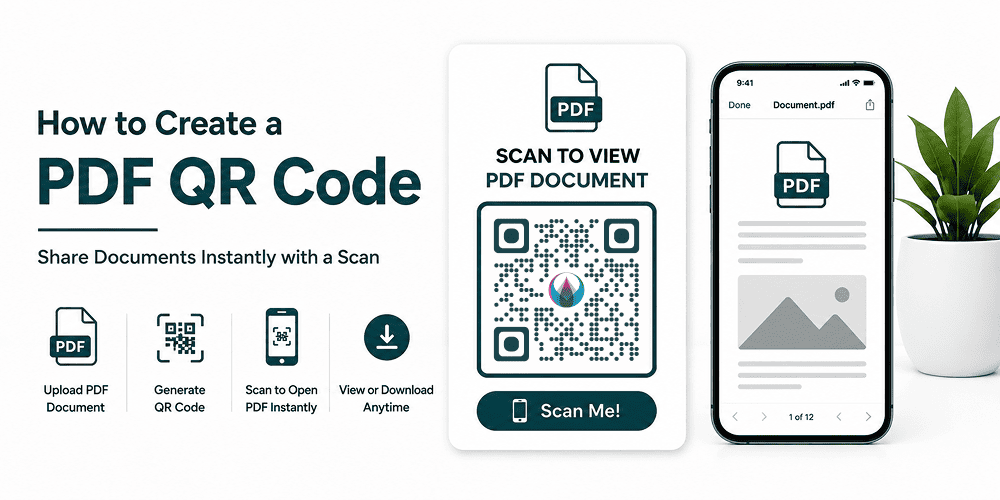
A PDF QR Code allows users to scan a QR code and instantly open or download a PDF document on their smartphone, tablet, or computer. Instead of sending large files through email or printing multiple copies, you can simply share one QR code that provides instant access to your document.
In this guide, you’ll learn what a PDF QR Code is, its benefits, how to create one, and best practices for using PDF QR codes in your business.
What Is a PDF QR Code?
A PDF QR Code is a QR code that links directly to a PDF document.
When someone scans the QR code, the PDF opens automatically on their device, allowing them to:
- View the document online
- Download the PDF
- Share it with others
- Access information instantly
PDF QR codes eliminate the need to type URLs or search for documents manually.
Why Use a PDF QR Code?
PDF QR codes are popular because they simplify document sharing.
Easy Access
Users can access documents with a single scan.
Reduce Printing Costs
Instead of printing hundreds of brochures or menus, businesses can provide digital versions.
Environmentally Friendly
Using digital documents reduces paper waste.
Better User Experience
Customers receive information immediately without extra steps.
Easy Updates
With Dynamic PDF QR Codes, you can update the PDF file without changing the QR code itself.
Common Uses of PDF QR Codes
Restaurant Menus
Restaurants can provide digital menus through QR codes placed on tables.
Product Catalogs
Retailers can share detailed product catalogs without printing costs.
Business Brochures
Marketing teams can distribute brochures at events and trade shows.
User Manuals
Manufacturers can provide product instructions digitally.
Real Estate Flyers
Agents can share property information and floor plans.
Event Programs
Event organizers can distribute schedules and guides digitally.
Educational Materials
Schools and training organizations can share study materials and handouts.
Static vs Dynamic PDF QR Codes
Static PDF QR Codes
- Permanent URL
- Cannot be changed after creation
- Suitable for simple document sharing
Dynamic PDF QR Codes
- PDF can be updated anytime
- Scan analytics available
- Better for marketing campaigns
- Ideal for businesses that frequently update content
For most businesses, Dynamic PDF QR Codes offer greater flexibility.
How to Create a PDF QR Code
Creating a PDF QR Code is simple.
Step 1: Upload Your PDF
Choose the PDF file you want to share.
Examples include:
- Menus
- Brochures
- Catalogs
- Manuals
- Presentations
Step 2: Open a PDF QR Code Generator
Visit DigitalQR and select the PDF QR Code option.
Step 3: Upload or Link Your PDF
Upload your PDF file through the generator.
Step 4: Generate the QR Code
Click Generate QR Code.
Your QR code will be created instantly.
Step 5: Customize the Design
You can personalize your QR code by:
- Adding your logo
- Using brand colors
- Adding frames
- Including a call-to-action
Examples:
- Scan to View Menu
- Download Catalog
- View Product Guide
Step 6: Test the QR Code
Scan the QR code using multiple devices before publishing.
Step 7: Download and Share
Download in:
- PNG
- SVG
Use high-resolution formats for professional printing.
Best Places to Use PDF QR Codes
Product Packaging
Provide manuals and product guides.
Business Cards
Share company profiles and portfolios.
Store Displays
Offer detailed product information.
Trade Shows
Replace printed brochures with digital versions.
Flyers and Posters
Provide additional information without increasing design space.
Restaurant Tables
Allow customers to access digital menus instantly.
Real Estate Signs
Link directly to property brochures.
Benefits of PDF QR Codes for Businesses
Improve Customer Engagement
Interactive content encourages users to learn more about your products and services.
Save Time
Documents are delivered instantly without email exchanges.
Reduce Costs
Lower printing and distribution expenses.
Track Performance
Dynamic QR codes provide scan analytics.
Increase Accessibility
Users can access documents anytime from any device.
Best Practices for PDF QR Codes
Optimize PDF File Size
Large PDFs can load slowly on mobile devices.
Use High-Quality Documents
Ensure text and images remain clear when viewed digitally.
Add a Clear Call-to-Action
Examples:
- Scan to Download
- View Brochure
- Open Product Catalog
Test Before Publishing
Verify compatibility across multiple devices.
Use Dynamic QR Codes
This allows you to update files without replacing printed QR codes.
Common Mistakes to Avoid
Uploading Large Files
Oversized PDFs may create a poor user experience.
Poor QR Code Placement
Ensure users can easily find and scan the code.
Low Contrast Designs
Always maintain strong contrast for reliable scanning.
Forgetting Mobile Users
Design PDFs with mobile viewing in mind.
Not Updating Content
Outdated PDFs can reduce trust and engagement.
Real-World Examples
Restaurant
A restaurant places PDF QR codes on tables so customers can view menus without handling printed materials.
Real Estate Agency
Property brochures are shared through QR codes displayed on signs and advertisements.
Retail Store
Customers scan QR codes to access detailed product specifications and catalogs.
Event Organizer
Attendees scan QR codes to download event schedules and speaker information.
Why Use DigitalQR for PDF QR Codes?
DigitalQR helps businesses create professional PDF QR Codes in minutes.
Features include:
- Easy PDF uploads
- Custom QR code designs
- Logo integration
- Dynamic QR code support
- Scan tracking and analytics
- High-resolution downloads
Whether you’re sharing menus, brochures, catalogs, or manuals, DigitalQR makes document sharing simple and effective.
Frequently Asked Questions
Can I create a PDF QR Code for free?
Yes. Basic PDF QR codes can be created for free.
Can I update the PDF later?
Yes. Dynamic PDF QR Codes allow you to replace the PDF without changing the QR code.
Do PDF QR Codes work on smartphones?
Yes. Most modern smartphones can scan QR codes directly through the camera app.
Can I add my company logo?
Yes. You can customize your QR code with logos and brand colors.
Where should I place PDF QR Codes?
Popular locations include packaging, brochures, business cards, menus, posters, and trade show materials.
Conclusion
PDF QR Codes are one of the easiest ways to share digital documents with customers, employees, and prospects. They reduce printing costs, improve accessibility, and provide a better user experience through instant document access.
Whether you’re sharing menus, brochures, catalogs, manuals, or presentations, PDF QR Codes help deliver information quickly and professionally. Start creating your PDF QR Code today with DigitalQR and make document sharing effortless.