
In today’s digital world, helping customers find your business quickly and easily is essential. Whether you run a restaurant, retail store, hotel, clinic, office, event venue, or real estate business, providing accurate directions can significantly improve customer experience and increase visits.
One of the simplest ways to share your location is through a Location QR Code.
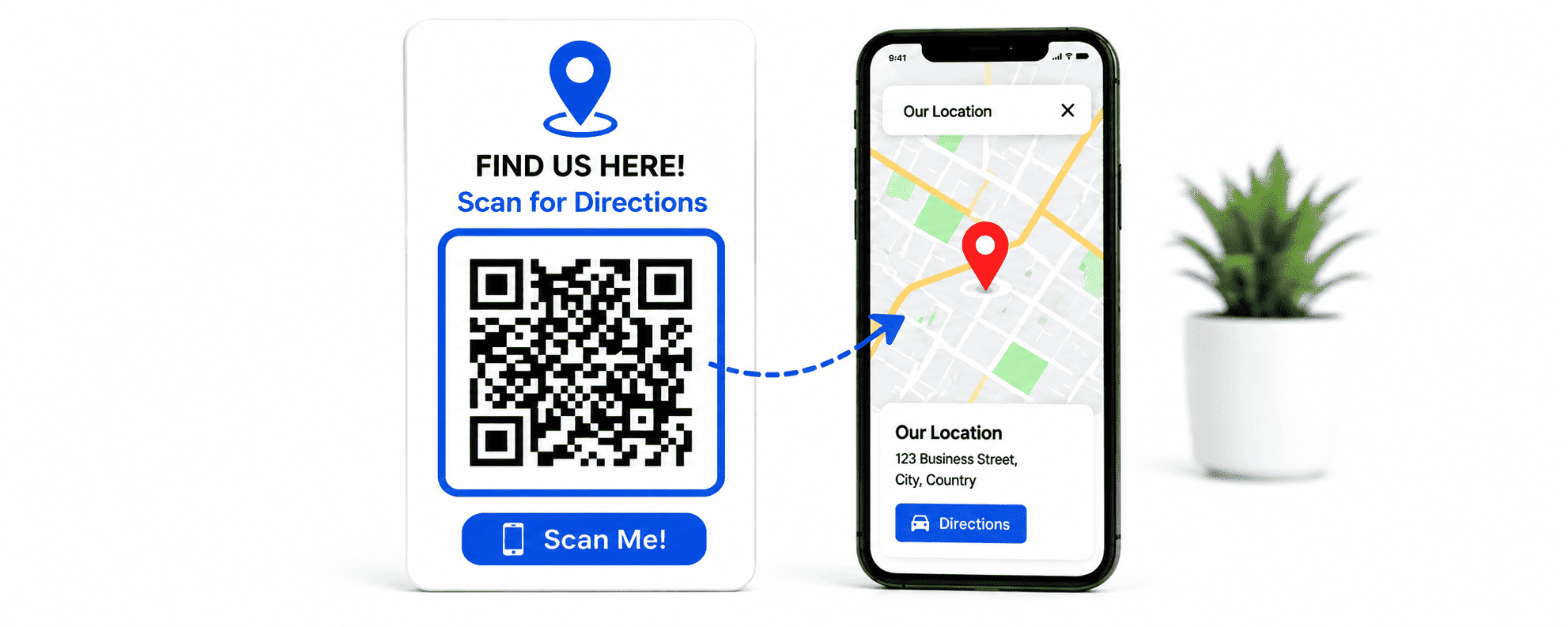
A Location QR Code allows users to scan a QR code and instantly open your business location in Google Maps, Apple Maps, or another navigation app. Instead of typing an address manually or searching online, customers can access directions with a single scan.
In this guide, you’ll learn what a Location QR Code is, its benefits, how to create one, best practices, and real-world examples of how businesses use location QR codes to drive foot traffic and improve customer satisfaction.
What Is a Location QR Code?
A Location QR Code is a QR code that stores a specific geographic location or map link. When scanned, it opens a navigation application and displays the destination immediately.
Users can:
- View your location on a map
- Get turn-by-turn directions
- Save the location
- Share it with others
- Navigate directly to your business
This eliminates confusion and makes it easier for customers to find you.
Why Use a Location QR Code?
Location QR Codes are becoming increasingly popular because they simplify navigation and improve convenience.
Instant Directions
Users can access directions immediately without manually entering addresses.
Better Customer Experience
Making it easy to find your business reduces frustration and improves satisfaction.
Increased Foot Traffic
Customers are more likely to visit when directions are easily accessible.
Fewer Missed Appointments
Clinics, offices, and service providers can reduce late arrivals by providing direct navigation.
Professional Marketing
Location QR codes create a modern and user-friendly experience.
Businesses That Benefit from Location QR Codes
Location QR Codes are useful across many industries.
Restaurants
Help customers find your restaurant quickly, especially in busy areas.
Hotels
Guide guests directly to your property.
Retail Stores
Drive more walk-in traffic from flyers, posters, and advertisements.
Medical Clinics
Reduce missed appointments and navigation issues.
Real Estate Agencies
Provide directions to open houses and property viewings.
Event Organizers
Help attendees navigate to conferences, weddings, and exhibitions.
Corporate Offices
Make it easier for clients and visitors to find your office.
How Location QR Codes Work
A Location QR Code contains a map URL or geographic coordinates.
When scanned:
- The smartphone reads the QR code.
- The device opens the preferred map application.
- The location appears instantly.
- Users can begin navigation immediately.
The process takes only a few seconds and requires no manual input.
Benefits of Using Location QR Codes
Convenience
Users can find locations instantly without typing long addresses.
Accuracy
Reduces errors caused by incorrect address entry.
Faster Navigation
Direct links to map apps save time.
Mobile Friendly
Works seamlessly on modern smartphones.
Better Marketing Results
Customers can quickly act on advertisements and promotions.
How to Create a Location QR Code
Creating a Location QR Code is simple.
Step 1: Find Your Location on Google Maps
Open Google Maps and search for your business location.
Step 2: Copy the Location Link
Click the Share option and copy the map URL.
Step 3: Open DigitalQR
Visit DigitalQR and select the Location QR Code Generator.
Step 4: Paste Your Map Link
Enter the copied location URL into the generator.
Step 5: Generate the QR Code
Click Generate QR Code.
Your location QR code will be created instantly.
Step 6: Customize the Design
Add:
- Business logo
- Brand colors
- Custom frame
- Call-to-action text
Examples:
- Scan for Directions
- Find Us on Google Maps
- Navigate to Our Store
Step 7: Test Before Publishing
Always test your QR code on multiple devices before printing or sharing.
Best Places to Use Location QR Codes
Business Cards
Help clients navigate directly to your office.
Storefront Windows
Allow passersby to save your location.
Flyers and Posters
Make promotional materials more interactive.
Event Invitations
Guide attendees to the venue.
Brochures
Provide instant directions to physical locations.
Product Packaging
Encourage customers to visit your store.
Vehicle Wraps
Allow people to locate your business while on the move.
Social Media Graphics
Bridge online engagement and offline visits.
Location QR Codes for Restaurants
Restaurants frequently use Location QR Codes to help customers find them quickly.
Benefits include:
- Increased reservations
- Easier delivery pickups
- Better customer experience
- Improved local visibility
A simple “Scan for Directions” QR code can significantly increase visits.
Location QR Codes for Real Estate
Real estate professionals often use Location QR Codes on:
- Property signs
- Flyers
- Brochures
- Advertisements
Potential buyers can instantly access directions to open houses and property tours.
This simplifies the buyer journey and increases engagement.
Location QR Codes for Events
Event organizers use QR codes to:
- Share venue locations
- Improve attendee navigation
- Reduce confusion
- Increase event attendance
Examples include:
- Conferences
- Weddings
- Trade shows
- Festivals
- Corporate events
Dynamic vs Static Location QR Codes
Static Location QR Codes
- Permanent location
- Cannot be changed after creation
- Suitable for long-term locations
Dynamic Location QR Codes
- Destination can be updated
- Scan analytics available
- Ideal for temporary events and promotions
Dynamic QR codes offer greater flexibility for businesses that change locations or run multiple campaigns.
Best Practices for Location QR Codes
Use Clear Calls-to-Action
Examples:
- Scan for Directions
- Find Us Here
- Visit Our Store
- Navigate Now
Keep the QR Code Visible
Place it where users can easily notice and scan it.
Use High Contrast
Ensure the QR code remains easy to scan.
Test Across Devices
Verify functionality on Android and iPhone devices.
Include Branding
Adding your logo can improve trust and recognition.
Common Mistakes to Avoid
Using Incorrect Location Links
Always verify the destination before publishing.
Printing QR Codes Too Small
Small QR codes may be difficult to scan.
Poor Placement
Avoid placing QR codes in hard-to-reach locations.
Ignoring Mobile Users
Most scans occur on smartphones, so mobile optimization is essential.
Failing to Test
Always perform multiple scans before distribution.
How Location QR Codes Improve Marketing
Location QR Codes help connect offline and online marketing efforts.
Examples:
- Newspaper advertisements
- Billboards
- Posters
- Flyers
- Direct mail campaigns
Instead of asking customers to remember an address, a simple scan gets them there instantly.
This increases response rates and improves marketing effectiveness.
Real-World Examples
Coffee Shop
A local café places a Location QR Code on promotional flyers, helping new customers navigate directly to the store.
Medical Clinic
Patients receive appointment reminders with a QR code that opens navigation to the clinic.
Hotel
Guests scan a QR code from booking confirmations to access directions instantly.
Retail Store
A fashion retailer includes Location QR Codes in advertisements to increase store visits.
Event Venue
Attendees scan QR codes from tickets and invitations to access venue directions.
Why Use DigitalQR for Location QR Codes?
DigitalQR helps businesses create professional Location QR Codes quickly and easily.
Features include:
- Fast QR code generation
- Custom branding
- Logo integration
- High-resolution downloads
- Dynamic QR code options
- Analytics and tracking
- Mobile-friendly interface
Whether you’re promoting a store, office, hotel, event, or restaurant, DigitalQR makes navigation simple and convenient.
Frequently Asked Questions
Are Location QR Codes free?
Yes. Basic Location QR Codes can be created for free.
Do users need a QR scanner app?
No. Most modern smartphones scan QR codes directly through the camera app.
Can I customize my Location QR Code?
Yes. You can add logos, colors, and frames.
Can I update the location later?
Yes. Dynamic QR Codes allow location updates without creating a new QR code.
Do Location QR Codes work internationally?
Yes. They work anywhere map applications are available.
Which map app opens after scanning?
Typically the user’s default map application such as Google Maps or Apple Maps.
Conclusion
Location QR Codes provide one of the easiest ways to help customers find your business. By eliminating the need to type addresses manually, they improve customer experience, increase foot traffic, and simplify navigation.
Whether you operate a restaurant, retail store, clinic, hotel, office, or event venue, Location QR Codes can help connect customers to your physical location quickly and efficiently.
Create your Location QR Code today with DigitalQR and make reaching your business easier than ever.