
Audio content has become one of the fastest-growing forms of digital communication. From podcasts and music tracks to voice messages, audiobooks, training materials, and marketing campaigns, businesses and creators are increasingly using audio to engage their audiences.
However, sharing audio files can sometimes be inconvenient. Large MP3 files often require downloads, email attachments, or file-sharing platforms that add extra steps for users.
An MP3 QR Code provides a simple solution.
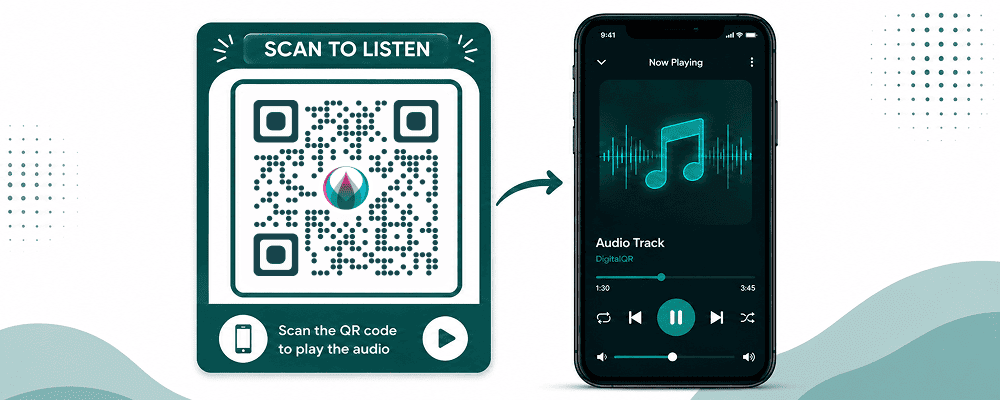
With a single scan, users can instantly access and play an audio file on their smartphone, tablet, or computer. Whether you’re a musician sharing songs, a business providing audio instructions, or a podcaster promoting episodes, MP3 QR codes make audio content easier to distribute and consume.
In this guide, you’ll learn what MP3 QR codes are, their benefits, how they work, and how to create one using DigitalQR.
What Is an MP3 QR Code?
An MP3 QR Code is a QR code that links directly to an audio file.
When users scan the QR code with their smartphone camera, they are directed to an audio player where they can listen to the file instantly.
The audio file can be:
- Music tracks
- Podcasts
- Audiobooks
- Voice messages
- Educational content
- Product instructions
- Audio advertisements
- Event recordings
Instead of sending files manually, a QR code gives users instant access with one simple scan.
Why Use an MP3 QR Code?
MP3 QR codes offer several advantages over traditional file-sharing methods.
Instant Audio Access
Users can listen to audio content immediately after scanning.
No Manual Typing
There’s no need to type URLs or search for files.
Mobile Friendly
Most QR code scans happen on smartphones, making audio playback quick and convenient.
Easy Sharing
One QR code can be printed on marketing materials, packaging, posters, business cards, and more.
Better User Experience
Reducing friction increases engagement and content consumption.
Who Can Use MP3 QR Codes?
MP3 QR codes are useful across many industries.
Musicians
Artists can promote songs, albums, and demos through QR codes.
Podcasters
Share podcast episodes directly with listeners.
Educators
Provide audio lessons and language-learning materials.
Businesses
Share training materials, product instructions, and promotional audio.
Event Organizers
Distribute speeches, recordings, and event highlights.
Museums
Offer audio tours for visitors.
Real Estate Agents
Provide audio property descriptions.
Healthcare Providers
Share patient instructions and educational resources.
How MP3 QR Codes Work
The process is simple.
- Upload your MP3 file.
- Generate a QR code linked to the audio file.
- Share the QR code.
- Users scan the QR code.
- The audio player opens automatically.
- Users listen instantly.
No complicated setup is required.
Benefits of MP3 QR Codes
Increase Engagement
Audio content often creates stronger engagement than text alone.
Save Space
Instead of printing lengthy instructions, businesses can provide audio guidance.
Enhance Accessibility
Audio content helps users who prefer listening over reading.
Improve Marketing Campaigns
Businesses can create interactive experiences using voice and music.
Easy Distribution
One QR code can reach thousands of users.
Popular Uses for MP3 QR Codes
Podcast Promotion
Podcasters can place QR codes on:
- Business cards
- Flyers
- Event banners
- Websites
- Social media graphics
Listeners can access episodes instantly.
Music Marketing
Musicians can use QR codes on:
- Concert posters
- Album covers
- Merchandise
- Promotional materials
This makes discovering music easier for fans.
Audio Guides
Museums, galleries, and tourist attractions often use audio guides.
Visitors scan a QR code and listen to information about exhibits and landmarks.
Educational Content
Teachers and trainers can share:
- Lectures
- Language lessons
- Tutorials
- Study materials
Students simply scan and listen.
Product Instructions
Businesses can replace printed manuals with audio instructions.
Benefits include:
- Easier understanding
- Reduced printing costs
- Better customer support
How to Create an MP3 QR Code
Creating an MP3 QR Code is simple.
Step 1: Prepare Your Audio File
Ensure your MP3 file is:
- High quality
- Easy to understand
- Optimized for mobile listening
Step 2: Open DigitalQR
Visit DigitalQR and select the MP3 QR Code Generator.
Step 3: Upload Your MP3 File
Upload the audio file you want to share.
Step 4: Generate the QR Code
Click the Generate QR Code button.
Within seconds, your QR code will be ready.
Step 5: Customize Your QR Code
Add:
- Brand colors
- Company logo
- Custom frame
- Call-to-action text
Examples:
- Scan to Listen
- Play Audio
- Listen Now
- Hear Our Story
Step 6: Test the QR Code
Scan using multiple devices to ensure proper functionality.
Step 7: Download and Share
Download your QR code in:
- PNG
- SVG
Use high-resolution formats for printing.
Dynamic vs Static MP3 QR Codes
Static MP3 QR Codes
Static QR codes contain a fixed destination.
Advantages:
- Free to create
- Simple setup
- Permanent content
Limitations:
- Cannot edit the audio file after creation
Dynamic MP3 QR Codes
Dynamic QR codes offer greater flexibility.
Advantages:
- Update audio without changing the QR code
- Track scans
- View analytics
- Monitor engagement
For businesses and marketers, Dynamic QR Codes are usually the better choice.
Best Places to Use MP3 QR Codes
Product Packaging
Provide:
- Product tutorials
- Setup instructions
- Brand messages
Business Cards
Share introductions and company information.
Event Materials
Offer speeches, schedules, and event recordings.
Posters
Create interactive marketing campaigns.
Restaurants
Share chef stories or promotional audio.
Retail Stores
Provide product demonstrations and explanations.
Educational Materials
Enhance learning experiences through audio.
Best Practices for MP3 QR Codes
Keep Audio Short
Most users prefer concise audio content.
Use Clear Audio Quality
Avoid background noise and poor recordings.
Add a Strong Call-to-Action
Examples:
- Scan to Listen
- Hear Our Story
- Listen to the Podcast
- Play Audio Guide
Test Before Publishing
Always verify the QR code works correctly.
Use Dynamic QR Codes
Analytics and flexibility can improve performance.
Common Mistakes to Avoid
Low-Quality Audio
Poor sound quality reduces engagement.
Large File Sizes
Oversized files can load slowly.
Broken Links
Always test before printing.
No Instructions
Tell users what they’ll hear after scanning.
Poor QR Code Placement
Ensure users can easily find and scan the code.
Real-World Examples
Music Artist
A singer places QR codes on posters linking to a new single release.
Museum
Visitors scan QR codes to access exhibit audio descriptions.
Business
Companies provide product tutorials through audio QR codes.
Podcast Host
Podcast episodes are promoted on flyers and event banners.
Educational Institution
Students access recorded lectures through QR codes.
Why Use DigitalQR for MP3 QR Codes?
DigitalQR makes creating professional MP3 QR Codes simple and effective.
Features include:
- Easy MP3 uploads
- Dynamic QR Codes
- Scan tracking
- Custom branding
- High-resolution downloads
- Mobile-friendly design
Whether you’re a creator, educator, marketer, or business owner, DigitalQR provides everything needed to share audio content successfully.
Frequently Asked Questions
Can I create an MP3 QR Code for free?
Yes. Basic MP3 QR Codes can be generated for free.
Do users need a special app?
No. Most smartphones support QR code scanning through the camera app.
Can I update the audio file later?
Yes, when using Dynamic QR Codes.
Can I track scans?
Yes. Dynamic QR Codes provide analytics and engagement data.
Do MP3 QR Codes work on iPhone and Android?
Yes. They are compatible with most modern devices.
Can I add my logo?
Yes. You can customize QR codes with logos and branding.
Conclusion
MP3 QR Codes are an excellent way to share audio content quickly and efficiently. Whether you’re promoting music, podcasts, educational resources, audio guides, or business communications, QR codes make audio accessible with a single scan.
By reducing barriers and improving accessibility, MP3 QR Codes help increase engagement, enhance user experiences, and simplify content distribution.
Start creating your MP3 QR Code today with DigitalQR and make sharing audio easier than ever.