
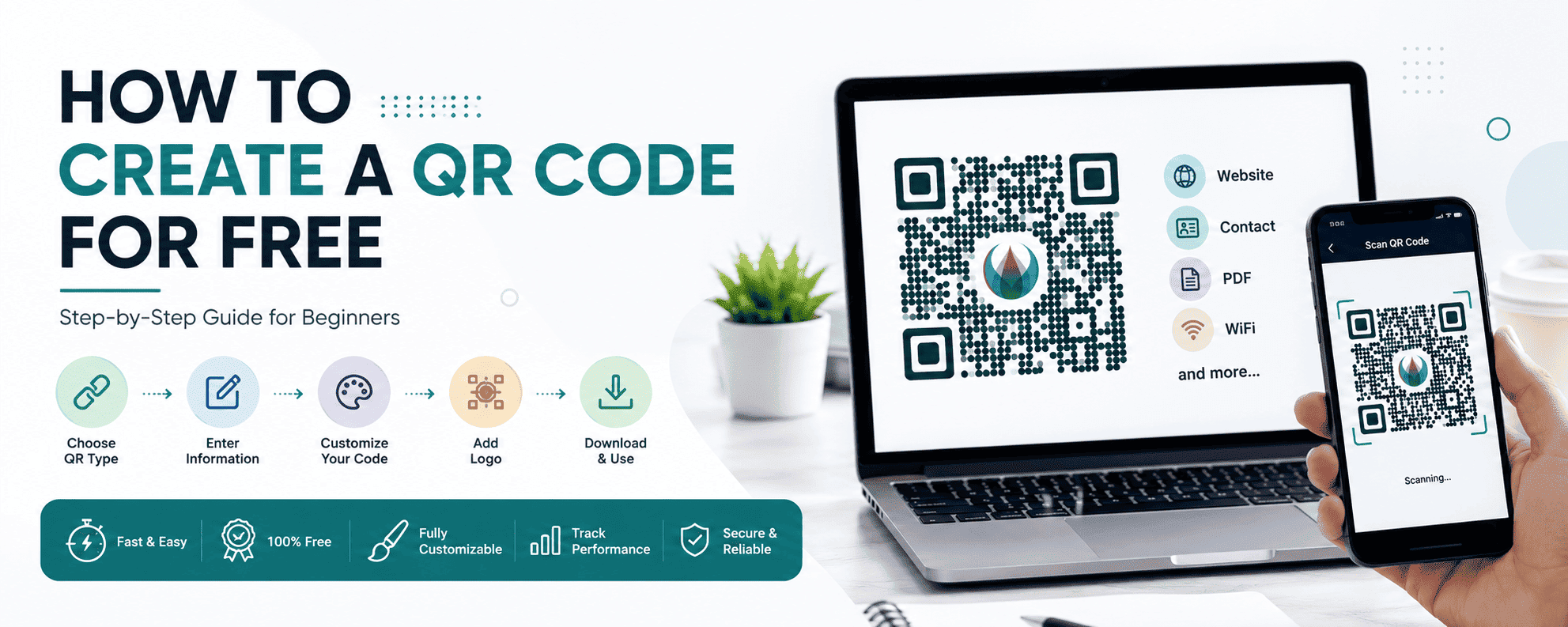
How to Create a QR Code for Free
QR codes have become one of the easiest and fastest ways to connect people to digital content. Businesses, creators, restaurants, marketers, and even individuals now use QR codes daily for websites, payments, menus, contact sharing, and promotions.
The best part?
You can create a QR code for free in just a few minutes.
Whether you want to:
- share a website
- connect users to WiFi
- create a digital business card
- promote social media
- build restaurant menus
- track marketing campaigns
QR codes make the process simple and user-friendly.
In this complete guide, you’ll learn:
- what QR codes are
- how to create QR codes for free
- different QR code types
- customization options
- QR code best practices
- common mistakes to avoid
- how businesses use QR codes successfully
If you’re new to QR codes, this beginner-friendly guide will help you get started easily.
What Is a QR Code?
A QR code (Quick Response code) is a two-dimensional barcode that stores digital information.
Users scan the QR code using their smartphone camera to instantly access:
- websites
- PDFs
- menus
- contact details
- payment links
- social profiles
- WiFi networks
QR codes eliminate the need to manually type long URLs or information.
They work quickly, improve convenience, and help businesses create seamless digital experiences.
Why QR Codes Are So Popular
QR codes are now used everywhere because they are:
- fast
- easy to scan
- mobile-friendly
- cost-effective
- contactless
Businesses use QR codes for:
- marketing campaigns
- product packaging
- digital menus
- event registrations
- payments
- analytics tracking
Consumers like QR codes because they provide instant access to information.
Types of QR Codes You Can Create
Before creating a QR code, it’s important to understand the different types available.
1. URL QR Code
This is the most common QR code type.
It redirects users to:
- websites
- landing pages
- online stores
- blog posts
Perfect for:
- marketing
- product promotions
- business websites
2. WiFi QR Code
WiFi QR codes allow users to connect to a wireless network instantly.
Instead of typing passwords manually, users simply scan the code.
Commonly used in:
- restaurants
- hotels
- offices
- cafes
3. vCard QR Code
vCard QR codes store contact details.
Users can save:
- phone number
- company
- address
- website
Directly into their phone.
Perfect for:
- networking
- business cards
- sales teams
4. PDF QR Code
PDF QR codes open PDF files instantly.
Businesses use them for:
- brochures
- catalogs
- menus
- guides
- presentations
5. Social Media QR Code
These QR codes help users follow social media accounts instantly.
Popular for:
- TikTok
- YouTube
6. WhatsApp QR Code
WhatsApp QR codes let users start chats instantly.
Businesses use them for:
- customer support
- lead generation
- sales inquiries
Static vs Dynamic QR Codes
Before creating your QR code, you should understand the difference between static and dynamic QR codes.
Static QR Codes
Static QR codes contain fixed information.
Once created:
- the content cannot be edited
- analytics are unavailable
Best for:
- permanent information
- personal use
- basic QR needs
Dynamic QR Codes
Dynamic QR codes allow businesses to:
- edit destinations later
- track scans
- monitor analytics
- update campaigns
Best for:
- marketing campaigns
- restaurants
- business promotions
- analytics tracking
Dynamic QR codes are more flexible and professional.
How to Create a QR Code for Free
Creating a QR code is simple.
Follow these step-by-step instructions.
Step 1: Choose a QR Code Generator
Use a trusted QR code platform such as DigitalQR.
A good QR code generator should provide:
- customization
- high-resolution downloads
- dynamic QR options
- analytics
- easy editing
Step 2: Select QR Code Type
Choose the type of QR code you want to create.
For example:
- URL
- WiFi
- vCard
Each type serves different purposes.
Step 3: Enter Your Information
Input the information users should access.
Examples:
- website URL
- WiFi password
- contact details
- PDF file
- social profile link
Always double-check accuracy before generating.
Step 4: Customize the QR Code
Modern QR generators allow customization.
You can change:
- colors
- shapes
- frames
- backgrounds
- corner styles
- logos
Custom QR codes improve branding and user engagement.
Step 5: Add Your Logo
Adding a logo makes QR codes look more professional.
Businesses often add:
- company logos
- app icons
- product branding
This increases:
- trust
- brand recognition
- scan rates
Step 6: Generate the QR Code
Click the generate button.
The QR code will be created instantly.
Step 7: Download the QR Code
Most platforms support:
- PNG
- SVG
PNG works well for digital use.
SVG is better for printing because it remains sharp at any size.
Step 8: Test the QR Code
Always test the QR code before publishing.
Use:
- Android devices
- iPhones
- different QR scanner apps
Testing ensures:
- proper scanning
- correct destination
- good user experience
Best Practices for Creating QR Codes
To maximize scan performance, follow these important best practices.
1. Use High Contrast Colors
Dark QR codes on light backgrounds scan best.
Avoid:
- low contrast colors
- neon colors
- complicated backgrounds
2. Keep Quiet Space Around QR Code
QR codes require empty spacing around the edges.
Without enough spacing:
- scanning may fail
3. Avoid Very Small Sizes
Tiny QR codes are difficult to scan.
Recommended minimum:
- 2 x 2 cm for print
Larger codes work better for posters and signs.
4. Add Clear Call-to-Action
Users scan more when instructions are visible.
Examples:
- Scan to Order
- Scan to Download
- Scan for Discount
- Scan to View Menu
5. Use Dynamic QR Codes for Campaigns
Dynamic QR codes provide:
- analytics
- editability
- better flexibility
They are ideal for business use.
Common QR Code Mistakes to Avoid
Many businesses make avoidable QR code mistakes.
Mistake 1: Using Low-Resolution QR Codes
Blurry QR codes scan poorly.
Always download high-quality files.
Mistake 2: Not Testing Before Printing
Printing broken QR codes wastes money.
Always test first.
Mistake 3: Poor Color Choices
Low contrast reduces scan success.
Mistake 4: Linking to Bad Mobile Pages
QR users are mobile users.
Your landing page must:
- load fast
- be mobile-friendly
- provide value quickly
Mistake 5: Overcrowding the QR Design
Too much customization can reduce readability.
Keep designs clean and balanced.
Business Uses of QR Codes
QR codes are now essential in many industries.
Restaurants
Restaurants use QR codes for:
- digital menus
- online ordering
- customer reviews
- payments
Retail Stores
Retailers use QR codes for:
- product information
- promotions
- loyalty programs
- payments
Real Estate
Real estate agents use QR codes for:
- property tours
- listing information
- contact details
Education
Schools use QR codes for:
- assignments
- attendance
- digital resources
Events
Event organizers use QR codes for:
- tickets
- registrations
- schedules
- networking
Benefits of QR Codes for Businesses
QR codes offer many business advantages.
Better Customer Experience
Users access information instantly.
Faster Engagement
QR codes reduce friction.
Cost-Effective Marketing
Printing QR codes is inexpensive.
Improved Tracking
Dynamic QR codes provide valuable analytics.
Higher Conversion Rates
Quick access improves customer actions.
Are Free QR Codes Safe?
Yes, free QR codes are generally safe when created using trusted platforms.
Businesses should:
- use secure HTTPS websites
- avoid suspicious links
- monitor campaigns
Users should:
- verify destinations
- avoid scanning unknown QR codes
Can QR Codes Expire?
Static QR codes usually do not expire.
Dynamic QR codes may expire depending on:
- platform policies
- subscription plans
Always check provider terms.
Future of QR Codes
QR code adoption continues growing worldwide.
Future trends include:
- smart packaging
- AI-powered campaigns
- personalized QR experiences
- advanced analytics
- contactless commerce
QR codes are becoming a permanent part of digital business experiences.
Final Thoughts
Creating a QR code for free is simple, fast, and highly effective for businesses and individuals.
QR codes improve:
- customer engagement
- accessibility
- marketing performance
- digital experiences
Whether you want to share websites, menus, contact details, or promotions, QR codes make the process seamless.
For businesses, dynamic QR codes provide even greater advantages through:
- analytics
- tracking
- campaign flexibility
- editable content
As QR technology continues to grow, businesses using QR codes effectively will gain a strong advantage in marketing and customer experience.
If you want to create professional QR codes with customization and analytics, DigitalQR makes the process easy and beginner-friendly.