
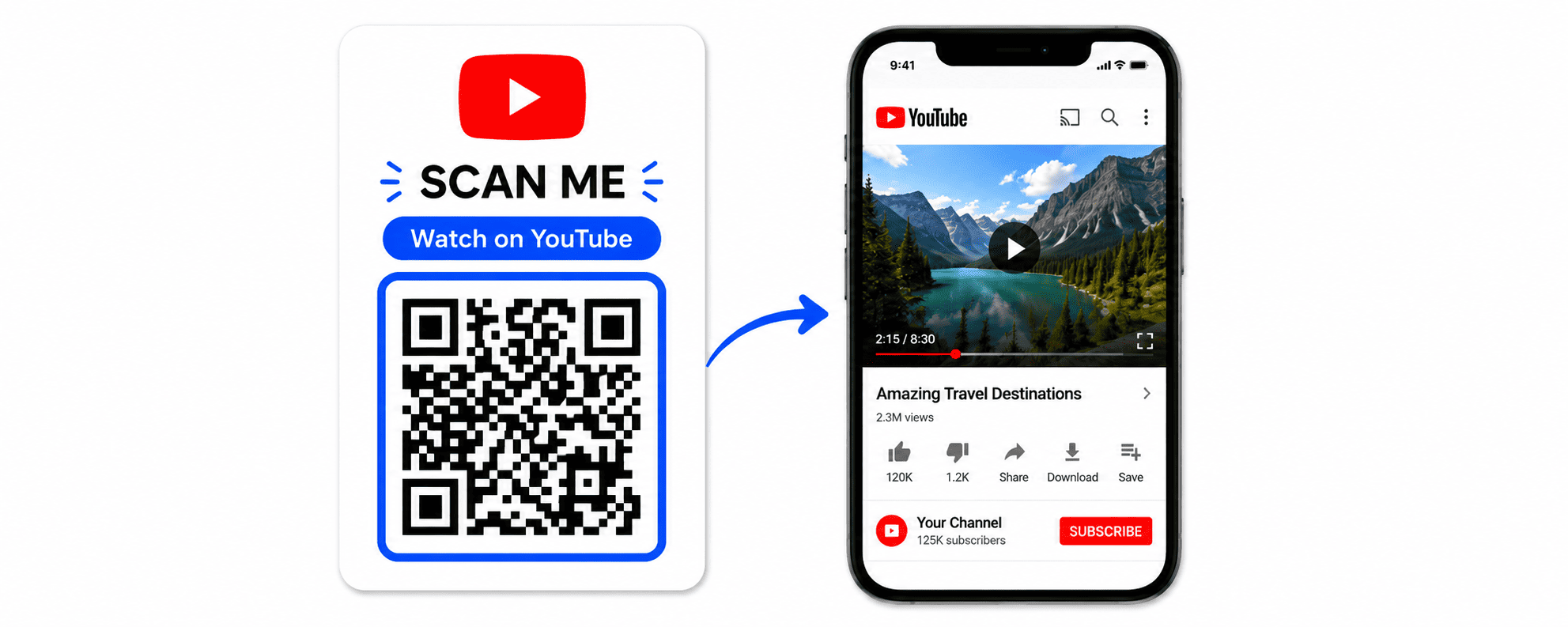
YouTube has become one of the most powerful platforms for creators, businesses, educators, and brands. With billions of monthly users, YouTube offers incredible opportunities to build an audience, generate leads, and increase brand awareness.
However, getting people to find and subscribe to your channel isn’t always easy. That’s where a YouTube QR Code can help.
A YouTube QR Code allows users to instantly open your YouTube channel, video, playlist, or Shorts content with a simple scan. Instead of searching manually, viewers can access your content in seconds.
In this guide, you’ll learn what a YouTube QR Code is, its benefits, how to create one, and best practices for increasing views, subscribers, and engagement.
What Is a YouTube QR Code?
A YouTube QR Code is a QR code that links directly to:
- A YouTube Channel
- A Specific Video
- A Playlist
- YouTube Shorts
- A Live Stream
When users scan the QR code using their smartphone camera, they are instantly redirected to the selected YouTube content.
This eliminates the need for typing URLs or searching for your channel manually.
Why Use a YouTube QR Code?
A YouTube QR Code makes it easier for people to discover and engage with your content.
Increase Video Views
Every scan creates an opportunity for someone to watch your content.
Grow Subscribers
Reduce the number of steps required for users to find your channel.
Improve Engagement
Encourage likes, comments, and shares by directing users straight to your videos.
Easy Offline Promotion
Connect printed materials to digital content instantly.
Better Marketing Results
Bridge the gap between offline and online marketing campaigns.
Who Should Use YouTube QR Codes?
Content Creators
Promote your channel and increase subscribers.
Businesses
Share product demonstrations and promotional videos.
Restaurants
Show menu videos, customer testimonials, and brand stories.
Educational Institutions
Provide students with video tutorials and learning resources.
Event Organizers
Share event highlights and recordings.
Real Estate Agents
Show property walkthrough videos.
Types of YouTube QR Codes
Channel QR Code
Direct users to your YouTube channel homepage.
Video QR Code
Open a specific video instantly.
Playlist QR Code
Share multiple videos through a single QR code.
Shorts QR Code
Promote short-form content quickly.
Live Stream QR Code
Drive attendance to live events and webinars.
How to Create a YouTube QR Code
Step 1: Copy Your YouTube Link
Open YouTube and copy the URL of:
- Channel
- Video
- Playlist
- Shorts
- Live Stream
Step 2: Open DigitalQR
Visit DigitalQR and choose YouTube QR Code Generator.
Step 3: Paste the URL
Enter your YouTube link into the generator.
Step 4: Generate the QR Code
Click Generate QR Code.
Step 5: Customize Your QR Code
Add:
- Logo
- Brand colors
- Frame
- Call-to-action
Examples:
- Scan to Watch
- Watch on YouTube
- Subscribe Now
- View Video
Step 6: Test the QR Code
Scan with multiple devices before publishing.
Step 7: Download and Share
Download as:
- PNG
- SVG
Best Places to Use YouTube QR Codes
Product Packaging
Add tutorial videos to products.
Business Cards
Promote your brand story or portfolio.
Posters
Drive traffic to promotional videos.
Event Booths
Showcase demonstrations and testimonials.
Restaurant Menus
Share food preparation videos.
Retail Stores
Display product walkthroughs.
Brochures
Connect printed materials to video content.
Storefront Windows
Allow passersby to discover your channel.
YouTube QR Codes for Businesses
Businesses can use YouTube QR Codes to:
- Demonstrate products
- Share customer success stories
- Explain services
- Promote special offers
- Increase brand awareness
Video content often converts better than text alone.
YouTube QR Codes for Creators
Creators can:
- Gain more subscribers
- Increase video views
- Promote Shorts
- Build community engagement
- Grow their audience faster
QR codes make channel discovery easier.
Dynamic vs Static YouTube QR Codes
Static QR Codes
- Permanent URL
- Free
- Cannot be edited
Dynamic QR Codes
- Editable destination
- Scan tracking
- Analytics dashboard
- Better for marketing campaigns
Dynamic QR Codes provide more flexibility for growing channels.
Best Practices
Use Clear Calls-to-Action
Examples:
- Scan to Subscribe
- Watch Now
- View Video
- Scan for Tutorials
Add Branding
Include your logo and channel colors.
Use High Contrast
Improve scanning performance.
Test Before Printing
Always verify the destination URL.
Track Performance
Monitor scan data using Dynamic QR Codes.
Common Mistakes to Avoid
Linking to the Wrong Video
Double-check URLs before publishing.
Printing Small QR Codes
Maintain adequate scan size.
Ignoring Mobile Users
Most scans occur on smartphones.
Poor Placement
Place QR codes where users can easily see them.
Not Using Calls-to-Action
Tell users exactly what they’ll get after scanning.
Real-World Examples
Restaurant
A restaurant places QR codes on menus linking to cooking videos.
Fitness Trainer
Gym posters link directly to workout tutorials.
Real Estate Agency
Property brochures connect buyers to virtual tours.
Online Educator
Printed materials provide access to video lessons.
Retail Store
Product packaging links to setup and installation guides.
Why Use DigitalQR?
DigitalQR helps businesses and creators generate professional YouTube QR Codes quickly.
Features include:
- Custom branding
- Dynamic QR Codes
- Scan analytics
- High-resolution downloads
- Mobile optimization
- Easy sharing
Frequently Asked Questions
Are YouTube QR Codes free?
Yes. Basic YouTube QR Codes can be generated for free.
Can I change the video later?
Yes, with Dynamic QR Codes.
Do YouTube QR Codes work on all smartphones?
Yes. Most modern devices support QR scanning.
Can I add my logo?
Yes. DigitalQR supports logo customization.
Can I track scans?
Yes. Dynamic QR Codes provide analytics.
Conclusion
A YouTube QR Code is one of the easiest ways to connect offline audiences with your video content. Whether you’re a creator, business owner, educator, or marketer, QR codes help increase views, grow subscribers, and improve engagement.
By placing YouTube QR Codes on packaging, posters, business cards, brochures, and marketing materials, you can drive more traffic to your content and make it easier for people to discover your channel.
Start creating your YouTube QR Code today with DigitalQR and turn every scan into a potential subscriber.