
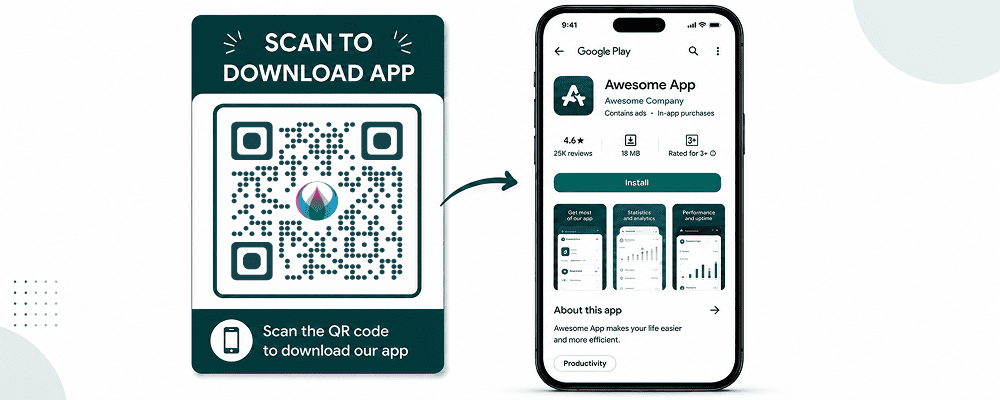
Mobile applications have become essential for businesses, startups, eCommerce brands, educational platforms, healthcare providers, and service companies. However, getting users to download an app can be challenging, especially when they need to search manually in the App Store or Google Play.
An App Download QR Code solves this problem by allowing users to scan a QR code and instantly download your mobile application.
Whether you’re promoting an Android app, an iPhone app, or both, App Download QR Codes provide a fast and convenient way to increase installations and improve user experience.
In this guide, you’ll learn what an App Download QR Code is, its benefits, how to create one, and best practices for maximizing app downloads.
What Is an App Download QR Code?
An App Download QR Code is a QR code that directs users to your mobile application’s download page.
When someone scans the QR code:
- Android users can open Google Play Store.
- iPhone users can open Apple App Store.
- Users can install the app instantly.
Instead of searching manually, users are taken directly to the correct download page.
Why Use an App Download QR Code?
Increase App Downloads
Removing extra steps increases conversion rates.
Better User Experience
Users can access your app with a single scan.
Faster App Promotion
Perfect for both online and offline marketing.
Reduce Search Errors
Users don’t need to type app names manually.
Track Campaign Performance
Dynamic QR codes can provide scan analytics.
Benefits for Businesses
Retail and eCommerce
Encourage customers to install shopping apps.
Restaurants
Promote ordering and loyalty apps.
Healthcare Providers
Share patient portals and appointment apps.
Educational Platforms
Drive downloads for learning applications.
Travel Companies
Help travelers access booking apps quickly.
How App Download QR Codes Work
The QR code contains a destination URL that redirects users to:
- Apple App Store
- Google Play Store
- Smart app landing page
Users simply:
- Scan the QR code.
- Open the app store.
- Tap Install.
- Start using the app.
How to Create an App Download QR Code
Step 1: Copy Your App Store Links
Collect:
- Google Play URL
- Apple App Store URL
Step 2: Open DigitalQR
Choose the App Download QR Code Generator.
Step 3: Add Store Links
Enter your Android and iOS app URLs.
Step 4: Generate the QR Code
Click Generate QR Code.
Step 5: Customize the Design
Add:
- App logo
- Brand colors
- Custom frame
- Call-to-action
Examples:
- Scan to Download
- Get the App
- Download Now
- Install Free App
Step 6: Test the QR Code
Verify functionality on:
- Android devices
- iPhones
- Tablets
Step 7: Download and Share
Download in:
- PNG
- SVG
Best Places to Use App Download QR Codes
Product Packaging
Encourage customers to install companion apps.
Business Cards
Share apps during networking events.
Storefront Displays
Promote mobile experiences to visitors.
Flyers and Brochures
Connect offline marketing to app downloads.
Event Booths
Drive installations during exhibitions and trade shows.
Restaurant Tables
Promote ordering and loyalty programs.
Receipts
Encourage post-purchase engagement.
Dynamic vs Static App QR Codes
Static QR Codes
- Fixed destination
- Cannot be edited
Dynamic QR Codes
- Editable destination
- Analytics tracking
- Better marketing insights
Dynamic QR codes are ideal for growing businesses.
Best Practices
Use a Clear CTA
Examples:
- Download Our App
- Scan to Install
- Get Started Today
Add Branding
Include your app icon and colors.
Test Before Publishing
Ensure smooth installation on all devices.
Use High-Quality Printing
Maintain scanning reliability.
Track Results
Monitor scans and campaign performance.
Common Mistakes to Avoid
Incorrect Store Links
Always verify URLs.
Tiny QR Codes
Ensure users can scan comfortably.
Poor Contrast
Maintain strong visibility.
No Call-to-Action
Tell users exactly what they’ll get.
Ignoring Analytics
Track scans to improve performance.
Real-World Examples
Restaurant App
Customers scan QR codes on tables to download ordering apps.
Retail Brand
Product packaging promotes shopping applications.
Fitness Company
Gym posters drive users to workout apps.
Event Organizer
Attendees install event apps through QR codes.
Education Platform
Students download learning apps from printed materials.
Why Use DigitalQR?
DigitalQR makes App Download QR Code creation simple and professional.
Features include:
- Android and iOS support
- Dynamic QR Codes
- Scan analytics
- Custom branding
- High-resolution downloads
- Mobile-friendly interface
Frequently Asked Questions
Can one QR code support Android and iPhone?
Yes. App Download QR Codes can automatically direct users to the correct app store.
Are App Download QR Codes free?
Yes. Basic QR codes can be generated for free.
Can I update app links later?
Yes, when using Dynamic QR Codes.
Can I track scans?
Yes. Dynamic QR Codes provide analytics and performance tracking.
Conclusion
App Download QR Codes are one of the easiest ways to increase mobile app installations and improve user experience. By allowing users to download apps instantly through a quick scan, businesses can reduce friction, boost engagement, and improve marketing performance.
Whether you’re promoting a shopping app, restaurant app, fitness app, educational platform, or business solution, an App Download QR Code can help drive more downloads and grow your audience.